
Mar 17, 2025 • Adrian T
How to display a Google Map location on your HuatPage blog
It is very easy to display a Google Map location on your HuatPage blog. You can do it in just 3 steps
-
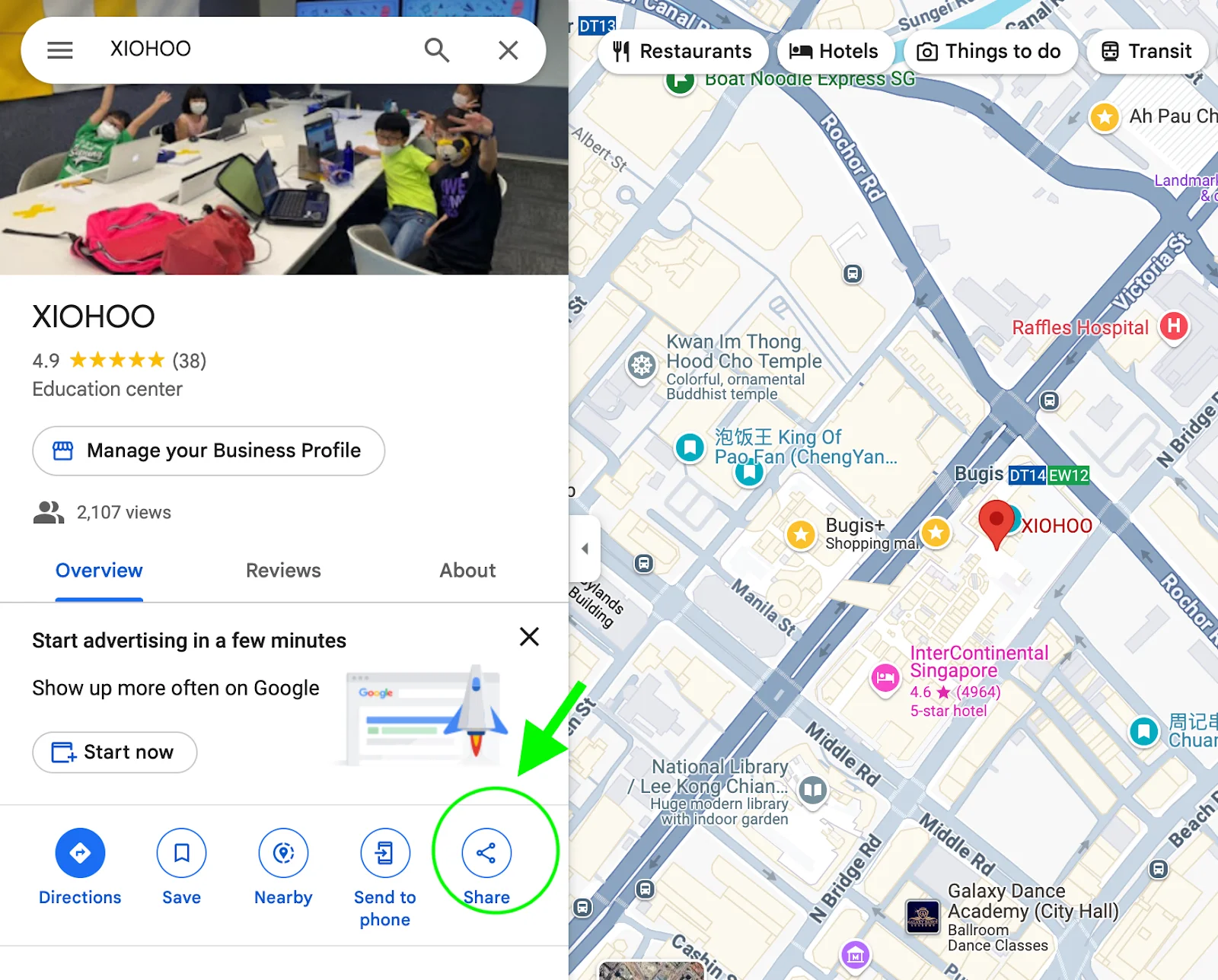
Find the location on Google Map that you want to display and click on share button
-
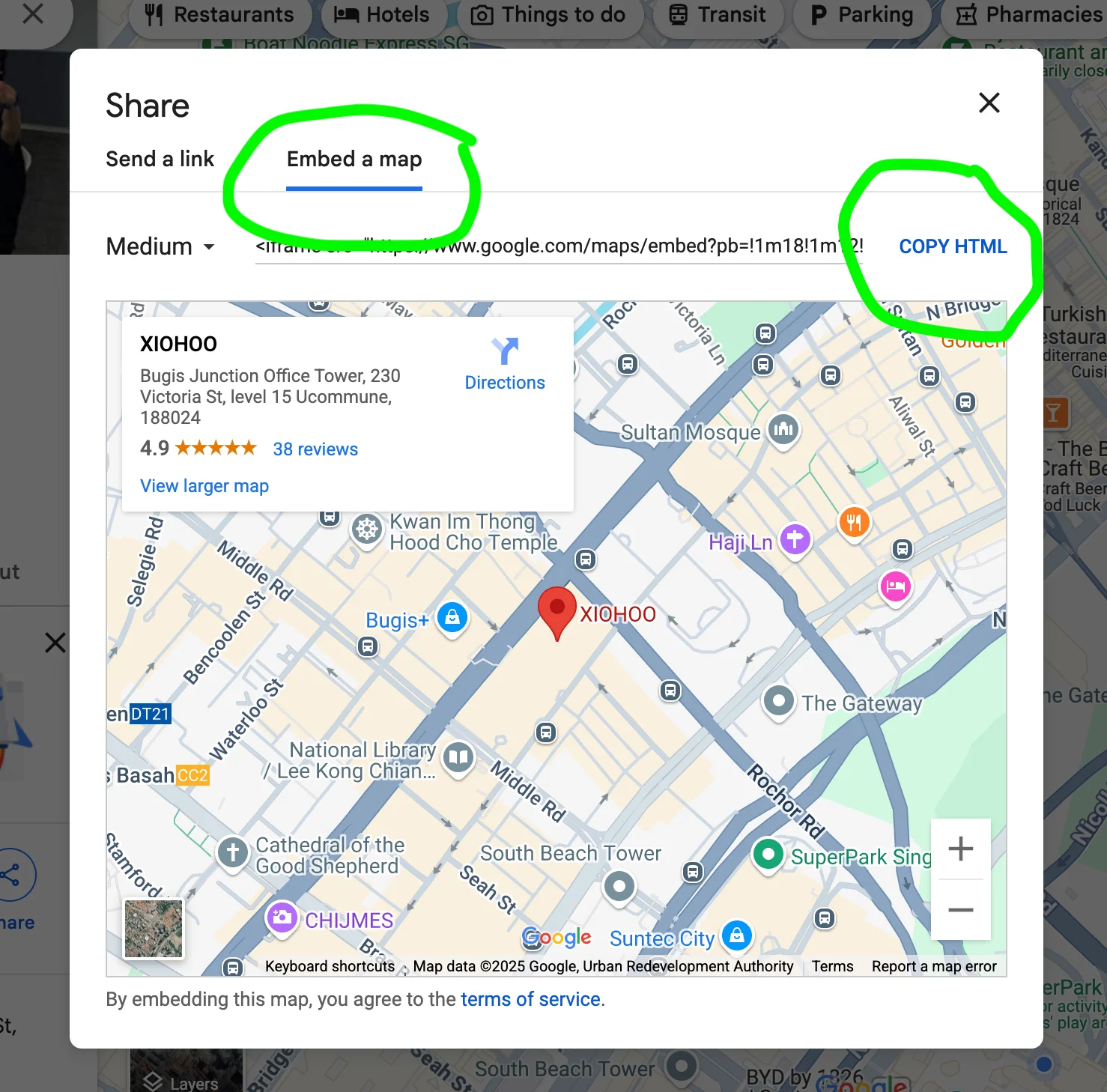
Select “Embed a map” and click “COPY HTML”
-
Paste the code onto your Google Docs and sync it on your HuatPage blog!
Congrats, your map is ready and displayed on your blog..
Related Posts

AEO vs. GEO: The Marketer's Guide to AI-Driven Search Optimization

Is Blogging Dead in 2026? The Ultimate Guide to Starting a Profitable Blog Today

Technical SEO for Developers: Building a High-Performance Foundation

How to Write SEO Content That Ranks High: A Comprehensive Guide

Unlock Your Potential: A Treasure Trove of FREE AI Tools at Your Fingertips!

How to Delete a page in Google Docs

How to change Margins in Google Docs

Essential Google Docs Shortcuts to Save Time
