
Mar 17, 2025 • Adrian T
How to display a YouTube video on HuatPage Blog
Displaying a YouTube video in your blog can enhance engagement, strengthen SEO, and appeal to visual learners, creating a more interactive and captivating user experience.
It is very easy to display a YouTube video on your HuatPage blog. You can do it in just 3 steps.
-
Open the YouTube video that you want to display on your HuatPage blog. Open the URL of the YouTube video.
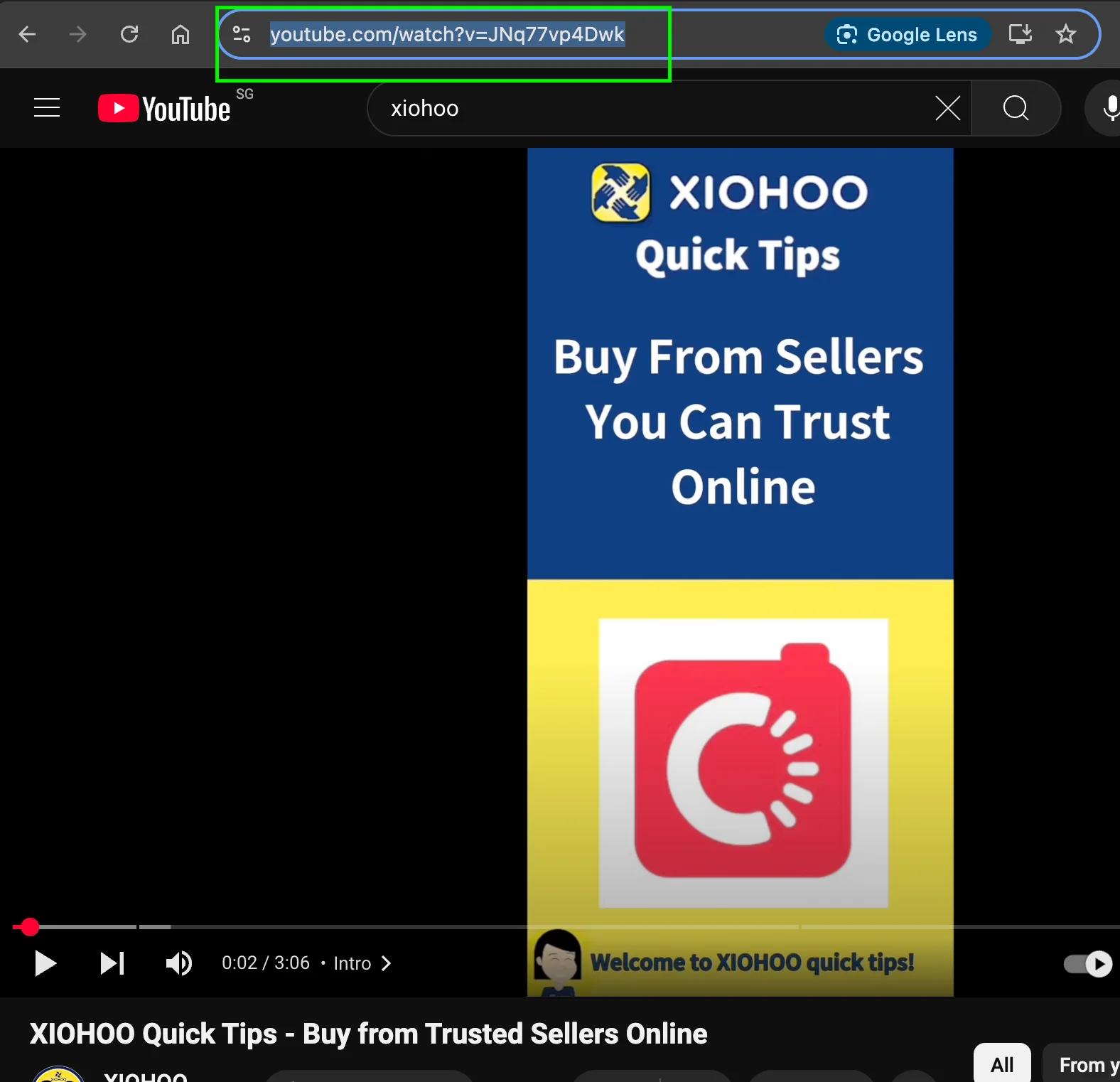
-
Go to your Google Docs, type [youtube:”youtube link that you copied above”]
Example:
Here is an example of the YouTube video we inserted in this blog post
[youtube:https://www.youtube.com/watch?v=nfcrBNbZS-4 ]
Related Posts

AEO vs. GEO: The Marketer's Guide to AI-Driven Search Optimization

Is Blogging Dead in 2026? The Ultimate Guide to Starting a Profitable Blog Today

Technical SEO for Developers: Building a High-Performance Foundation

How to Write SEO Content That Ranks High: A Comprehensive Guide

Unlock Your Potential: A Treasure Trove of FREE AI Tools at Your Fingertips!

How to Delete a page in Google Docs

How to change Margins in Google Docs

Essential Google Docs Shortcuts to Save Time
